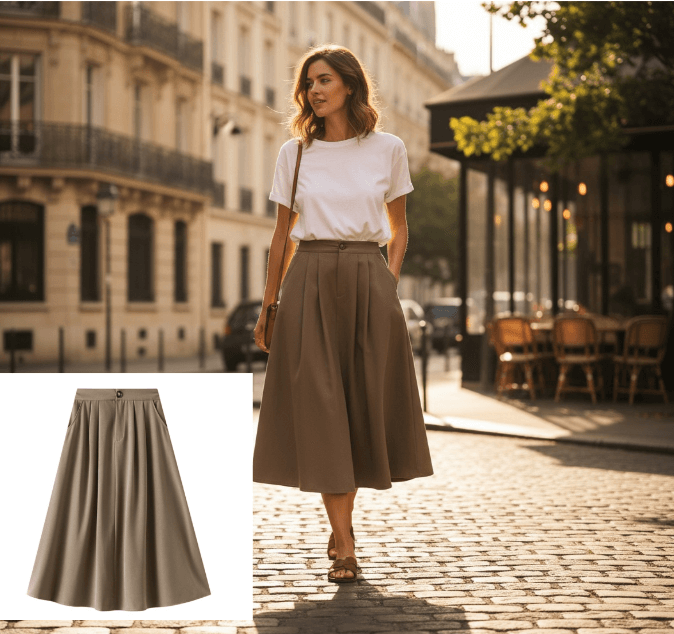
What Is an AI Design Agent? Definition and How It Works
An AI design agent takes a brief, creates the visual, and edits with you in chat. See how it differs from image generators and when to use one.
On this page
What Is an AI Design Agent? (And How It Differs From an Image Generator)
An AI design agent is a workflow tool: brief in, iterate in chat, file out. You describe the job — and often upload a source product photo — and the agent runs the visual task: packshot, lifestyle scene, poster, try-on, or cleanup. You stay in the same conversation to change background, crop, copy, or model pose until the export is usable.
If you ship Amazon or Shopify listings, catalog refresh, ads, or campaign posters, you need to know whether you are using a one-shot image generator or a conversational production loop. If the tool only returns one image from one prompt, it is a generator. If it ships UI code, it is a different kind of agent.
What is an AI design agent exactly?
An AI design agent treats visual production as a job, not a single generation. You give it a brief in plain language. It chooses or runs a task. You review the result and keep talking until the file is product-ready.
Writers who map this category point to three properties: the system acts with some autonomy, you talk to it in a conversational interface, and you refine inside a loop instead of starting over. IMG.LY's overview of design agents uses that frame. For ecommerce and marketing work, those properties show up as something concrete:
- Autonomy. You do not have to specify every camera angle or layer. "White-background packshot of this sneaker, Amazon crop" is enough to start.
- Conversation. Follow-ups stay attached to the same asset: "warmer wood floor," "move the logo off the fold," "same bag, three lifestyle scenes."
- Refinement loop. Follow-ups attach to the current file and the brief you already gave, so you are not rewriting a prompt from scratch. How much SKU or session memory you get varies by product.
The useful output is a file you can put on a PDP, ad, or poster — not a mood board and not a design system in code. Chat is the control surface. Many products add named jobs or task presets for try-on, packshot, or poster work. The human still does QA: color, label, proportion, crop.
What is an AI design agent not?
The phrase "AI design agent" is used for agencies, prompt boxes, and tools that write front-end code. Those are different products. Mixing them up wastes a trial week.
Is an AI design agency the same thing?
An AI design agency is a services team. You brief humans. They may use AI internally. You get a deliverable on a timeline, with account management and revision rounds.
That can be the right buy for a brand campaign or a one-off hero film. It is the wrong mental model for catalog volume. An agent is software you operate: you upload the SKU, you approve or reject frames, you export. There is no creative director on the other end unless you hired one separately.
How is it different from a one-shot image generator?
A conversational AI image generator that only accepts a prompt and returns a grid is still a generator. You type, you pick a winner, you start over when the next change is needed.
The split is practical, not philosophical:
| You need… | Generator | Design agent |
|---|---|---|
| One concept image | Usually enough | Overkill |
| Same product, ten listing variants | You rewrite the prompt | You stay in chat on the same SKU |
| "Make the bottle 20% larger in frame" | New prompt, new lottery | A follow-up on the current file |
| Task-specific setup (try-on, poster type) | You invent the workflow | Named jobs or task presets already know the job |
If the product identity drifts every time you regenerate, you are still in generator territory — even if the UI has a chat pane.
What about design-to-code agents?
OpenDesign notes that "AI design agent" has split into creative production, task agents, and design-to-code. The last group turns a Figma file or a screenshot into UI. That is useful if your job is shipping an app screen.
It is not the tool for a jewelry listing or a Black Friday poster. If the export is React or a component library, you left visual production. Keep that lane separate so you do not evaluate a code agent on packshot accuracy, or a visual agent on design tokens.
How does an AI design agent work?
The loop is short. Most catalog and campaign work follows the same four steps.
1. Describe or upload. Start with the job and the source. A clean product photo beats a paragraph of camera jargon. Example: upload the bag, then say "studio packshot, soft shadow, square crop for Shopify." If you have no photo, you can still brief from scratch, but identity (stitching, hardware, label) will be weaker.
2. Generate. The agent runs the task. On a full workstation that may mean a named job or task preset (packshot, poster, try-on, cleanup). You should get a first pass in one conversation, not a new project per variant.
3. Chat refine. This is the part generators skip. Ask for the next change against the current image: "keep the product, swap to marble," "same model, navy blazer," "headline shorter, more space above the bottle." Reject bad frames. Do not accept a wrong color or melted logo because the scene looks expensive.
4. Export. Pull a watermark-free file at the size the channel needs. Paid plans that grant commercial usage rights are the ones you use for ads and listings; confirm the plan copy on the vendor's site before you run paid media.
A human still does the last pass. Check SKU color against the physical sample, read every character on the label, and look at hands, gems, and sheer fabric. The agent speeds the loop. It does not sign off the listing.
When does an AI design agent help?
Use an agent when the bottleneck is volume, variants, and turnaround — not when the image has to stand as legal or scientific evidence.
Catalog volume. One source photo can become a white packshot, a lifestyle scene, and an on-model look for the same SKU. That is the core AI product photography job: listings that need more than one angle without a reshoot day.
Ads and social sets. You need the same product in three crops and two backgrounds by Friday. Chat refinement is faster than a new prompt per size. Keep the source photo as the identity lock; let the agent handle scene and format.
Posters and campaign lettering. Headline, product, and layout in one thread. An AI poster generator path is useful when you already know the offer and need readable type plus a product-ready visual, not a blank canvas in design software.
Try-on and on-body previews. Fashion and accessories teams use virtual try-on to preview a garment or piece on a model photo. Treat it as appearance, not fit. Shoppers still need a size chart and a real measurement photo.
Composite example: a Shopify seller with 40 new SKUs and one decent tabletop photo per item. The agent produces listing variants and two ad crops. The team rejects anything that shifts leather tone or warps hardware. Studio time is reserved for the hero packshot of the flagship line.
When should you not use an AI design agent?
An agent is the wrong primary tool when the image must prove something, not just sell the look.
Evidence and hero packshots. For Amazon MAIN, regulated listings, or any slot that must prove the unit you ship — ingredients, serial plate, unedited color — keep a camera capture as the hero. Use AI for lifestyle, ads, and extra angles you can verify, not as a stand-in for those proof-of-unit shots.
Size charts and fit claims. Virtual try-on and on-model generations show how a piece might look. They do not replace measurements, graded specs, or a photographed chart. Do not imply a size from a generated pose.
Pixel-perfect brand systems. Locked grids, custom type, and multi-year brand kits still belong in a design system and a human designer. An agent can draft a poster. It should not be the source of truth for your logo clear space.
Micro-detail that already fails. Sheer fabric, small gem settings, fine print, and busy labels often break. If those details are the product, budget a studio or a tighter product shot and use the agent only for backgrounds or crops you can verify.
Hybrid is the default: real source photo for identity, agent for volume.
How do you evaluate an AI design agent?
Ignore "magic" demos. Run one SKU you actually sell through the full loop.
- Brief in, file out. Can you describe the job in plain language and get a usable first pass without prompt recipes?
- Identity hold. After three chat edits, does the product still match the source — color, silhouette, logo, hardware?
- Task coverage. Is there a named job for the work you repeat (packshot, poster, try-on), or is every task a generic generate button?
- Refinement, not lottery. Does "make the shadow softer" edit this image, or does it roll a new random set?
- Export and rights. Can you download a clean file? Do paid plans include commercial usage and no watermark? Skip vendors that hide this until checkout.
- QA friction. How obvious is it to reject a bad frame and retry one change? If the UI pushes you to accept, you will ship errors.
- Lane clarity. Confirm you are not buying a design-to-code agent or an agency retainer by accident.
If a tool fails identity hold or cannot iterate in chat, it is a generator with extra copy. Price it that way.
Where can you try this workflow?
This article is from the team behind DeepKolor, an AI design agent for ecommerce and campaign visuals. You chat to create: upload a product photo, run a Skill or Mini App, refine in the same thread, and export watermark-free files on paid plans with commercial usage rights. Confirm the current plan copy on the site before you run paid media.
It is built for catalog and marketing jobs — product photography, posters, try-on — not for shipping UI code and not as a replacement for a studio hero or a size chart. Start with one real SKU, keep the source photo, and only scale the variants you would put on a PDP yourself.
Frequently asked questions
What is an AI design agent in one sentence?
A chat-driven visual workflow that takes a brief (and usually a source photo), runs the design job, and iterates until you export a product-ready file.
Is a conversational AI image generator the same thing?
Only if conversation actually edits the current asset and the tool can run a defined job. A chat wrapper around one-shot generations is still a generator.
Can I use the images on Amazon or Shopify?
Yes for listings and ads if your plan allows commercial use and you QA the product so the image matches the unit you ship. Amazon MAIN is the strictest slot: it must accurately show the actual product, and graphics or mockups are not allowed there — a camera packshot is the low-risk choice. Shopify does not publish an AI ban; you are responsible for truthful materials. Google Shopping product feeds also disallow generic images that are not the product.
Does virtual try-on replace a model shoot?
It replaces some on-body preview work. It does not replace size charts, fit samples, or a hero photo when the garment's construction is the story.
What about Kolors AI?
Kolors AI is the former name of DeepKolor. Same product lane: chat to create product-ready visuals. Use the current name on deepkolor.ai when you evaluate or link the tool.
Related posts
AI Jewelry Product Photography: How to Create Ecommerce Images That Sell
Learn how to create AI jewelry product photography for rings, necklaces, and bracelets — from one clean source photo to ecommerce-ready images, plus accuracy limits and marketplace image rules.
Amazon Product Image Requirements: A Seller's Checklist for 2026
A 2026 seller checklist for Amazon product image requirements — main-image rules, pixel sizes, additional slots, suppression fixes, and a pre-upload review.

AI Product Photography vs Traditional Studio Shoots: Cost Breakdown
Line-item cost of a 2026 studio product shoot versus AI product photography — packshots, lifestyle, hidden fees, and when a hybrid workflow wins.