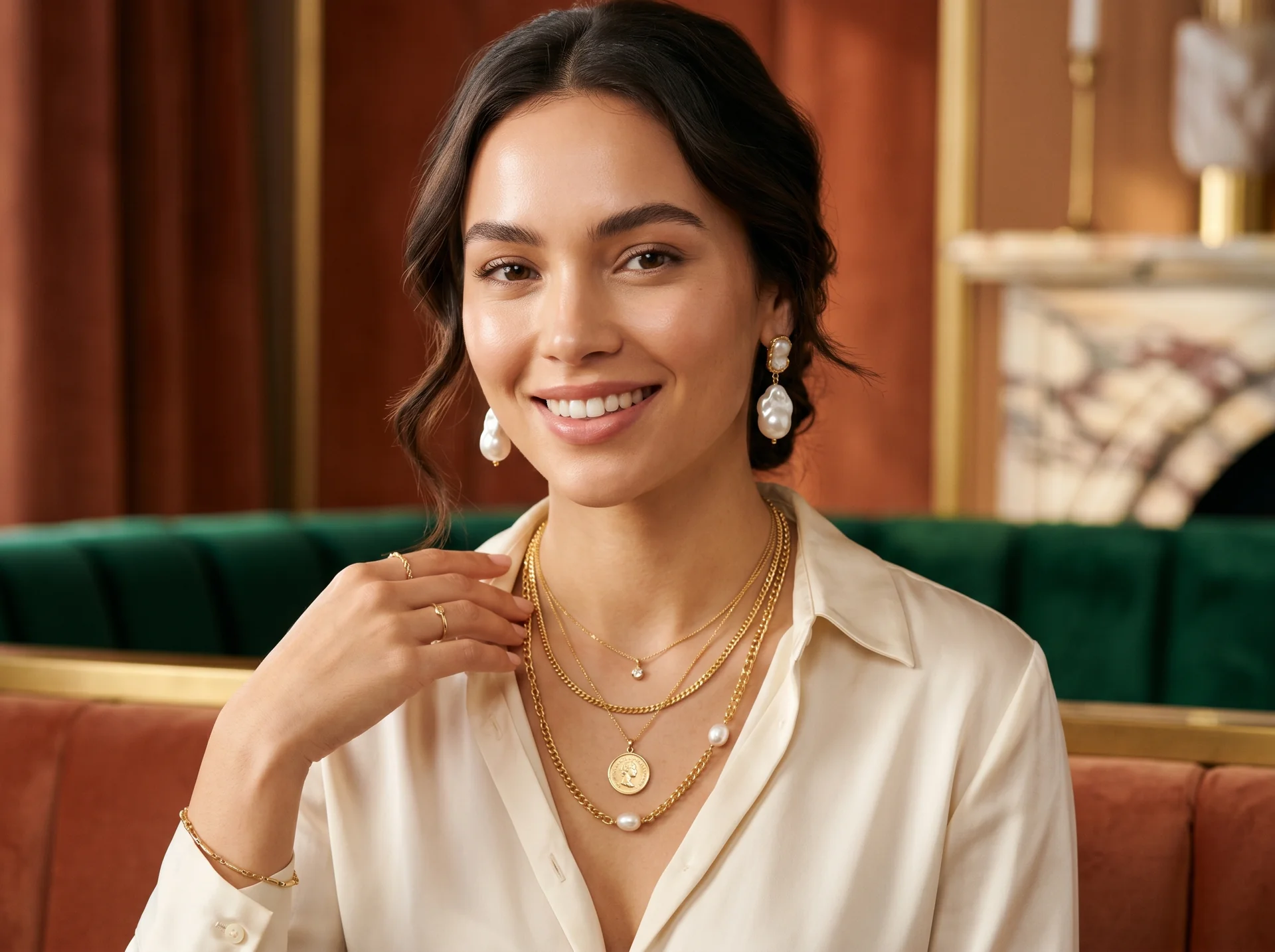
AI Jewelry Product Photography: How to Create Ecommerce Images That Sell
Learn how to create AI jewelry product photography for rings, necklaces, and bracelets — from one clean source photo to ecommerce-ready images, plus accuracy limits and marketplace image rules.
On this page
Jewelry is one of the hardest product categories to photograph — and one of the easiest to improve with AI. From a single clean photo of a ring, necklace, or bracelet, AI tools can now produce white-background packshots, lifestyle scenes, and on-model shots that are ready for product pages, marketplaces, and ad campaigns.
This guide walks through the full workflow of AI jewelry product photography: what it is, how the process works step by step, which shots work best for rings, necklaces, and bracelets specifically, and where the limits are — so you know exactly when AI is enough and when a studio is still worth it.
What is AI jewelry product photography?
AI jewelry product photography is the practice of using image-generation and image-editing models to create or enhance jewelry images for ecommerce. Instead of physically staging every scene — hiring models, renting a studio, and building light boxes for every SKU — you start from one accurate photo of the piece and let AI place it in new contexts: a plain white packshot, a marble lifestyle scene, or the necklace worn on a model.
The American Gem Society, the jewelry industry's trade organization, notes that AI visual tools have become practical for jewelers precisely for this kind of work — placing accurate product visuals in context and editing them, provided the results are verified for accuracy American Gem Society. Tools like DeepKolor's AI product photography are built around this workflow: upload a product photo, describe the shot you need, and download ecommerce-ready results.
Why is jewelry photography so hard to get right?
Polished metal behaves like a mirror, and gemstones are tiny light engines. Professional jewelry photography guides keep returning to the same pain points: controlling reflections on gold and silver, capturing sparkle without blowing out highlights, and holding focus across a piece small enough to sit on a fingertip Orbitvu. Ring-specific tutorials often require fixed camera positions and careful lighting just to get the whole band sharp and consistent Visual Education.
Multiply that by every SKU, metal colorway, and campaign, and a "simple" jewelry shoot turns into a multi-day production. That is the gap AI photography fills: shoot the piece once, well, then let AI handle the scene, the model, and the variations.
How do you create jewelry product images with AI, step by step?
The workflow is the same whether you sell engagement rings or beaded bracelets:
- Start from one clean source photo. AI output quality is capped by source quality — photography educators working with AI stress that good results begin with a properly shot, well-lit product photo Photigy. You don't need a studio: a sharp, evenly lit photo on a plain background from a steady camera is enough Visual Education. If the background is cluttered, clean it first with a tool like DeepKolor's AI background remover.
- Describe the shot you need. Specify the scene, model type, background, lighting, and brand aesthetic — for example "gold pendant necklace on a model, soft neutral studio background." Template presets for jewelry and lifestyle shots work too.
- Generate variations, then review for accuracy. Always zoom in and check the piece itself: stone count, prong shapes, chain links, engravings. This fidelity check is the step industry guidance emphasizes most American Gem Society.
- Export to marketplace specs. Crop and resize the winners to match platform requirements before upload (see the requirements section below).
Which AI jewelry shots work best for rings, necklaces, and bracelets?
Each category answers a different shopper question, so the shots you generate should differ too.
How do you create AI ring photos that show scale and sparkle?
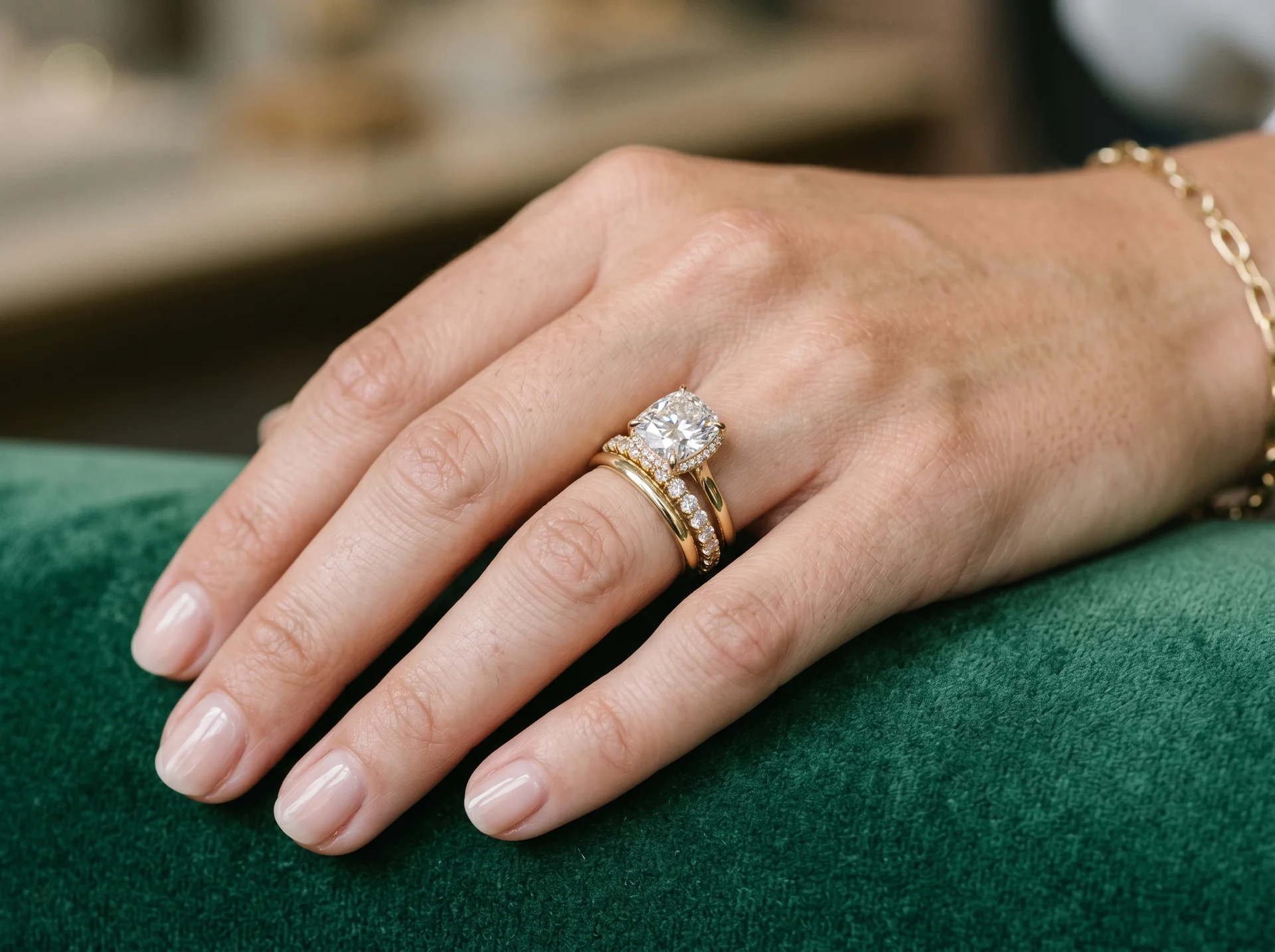
A solitaire floating on white tells a shopper nothing about how the ring sits on a hand. Generate a white-background packshot for the marketplace listing, then an on-hand shot for scale, and a close-up for detail. With a single source photo of the ring, AI can produce the hand shot directly — a natural pose, soft light, the stone kept sharp — without booking a hand model.
How do you create AI necklace photos that show length and drape?
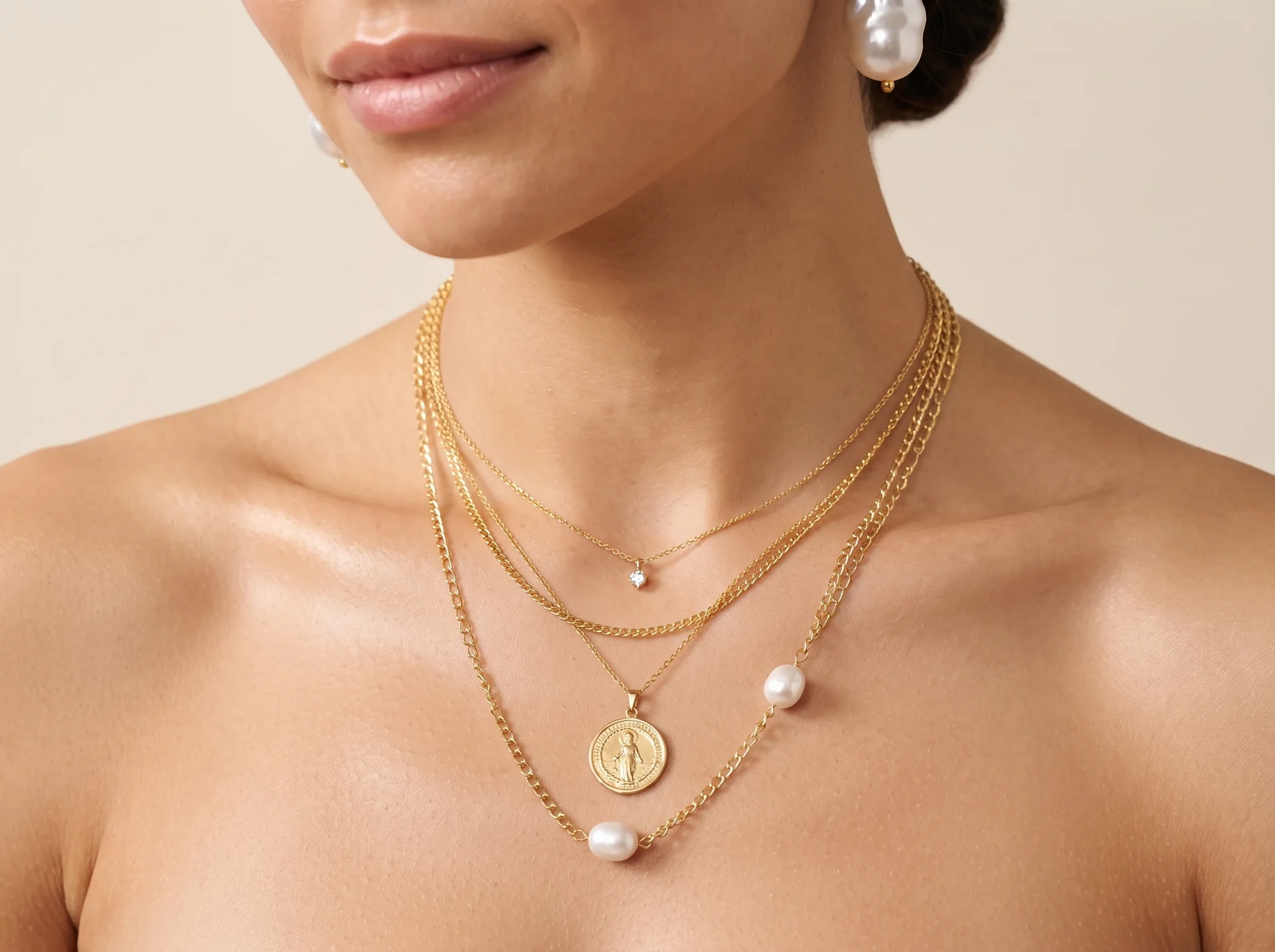
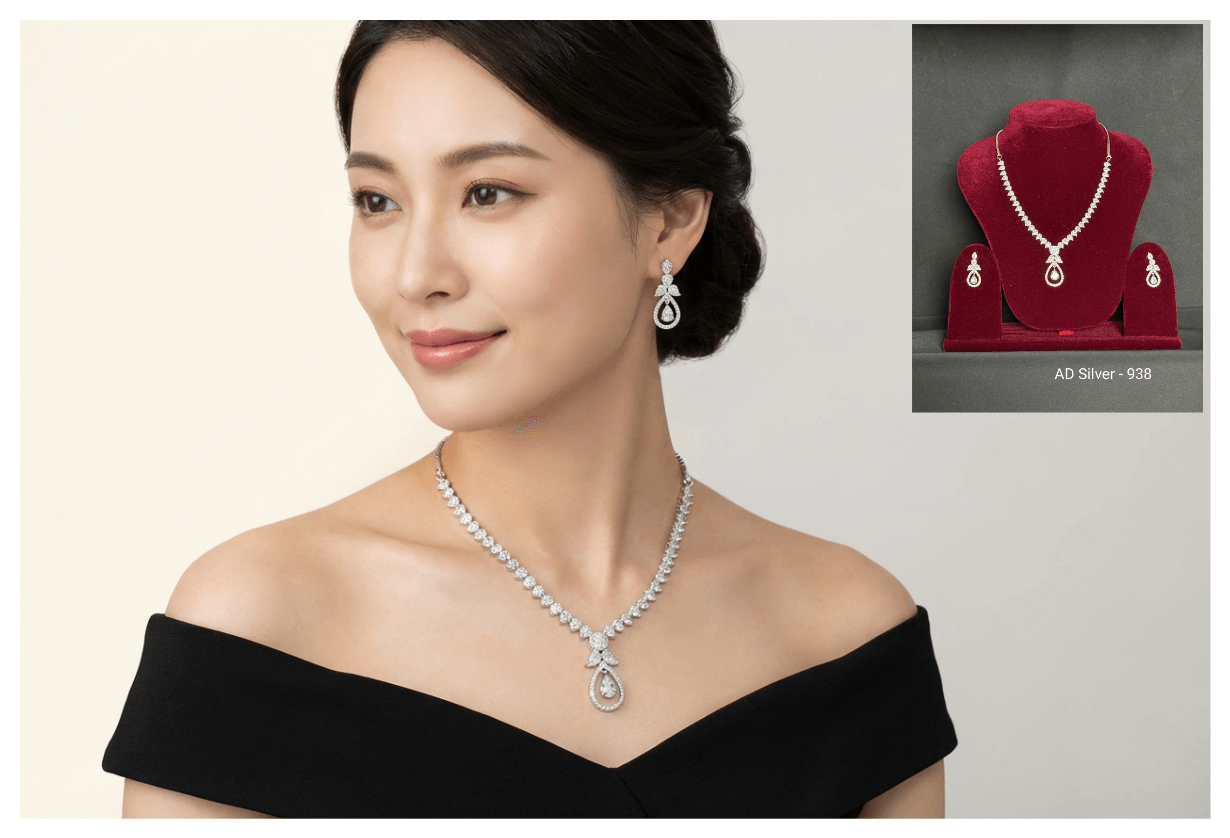
Flat-lays hide the thing necklace shoppers most want to know: where the pendant actually falls on the chest. An on-neck shot answers chain length, pendant scale, and how the piece pairs with a neckline in one image. Generate a tight neckline crop for product pages and a wider portrait for campaigns and social.
How do you create AI bracelet photos that show fit on the wrist?
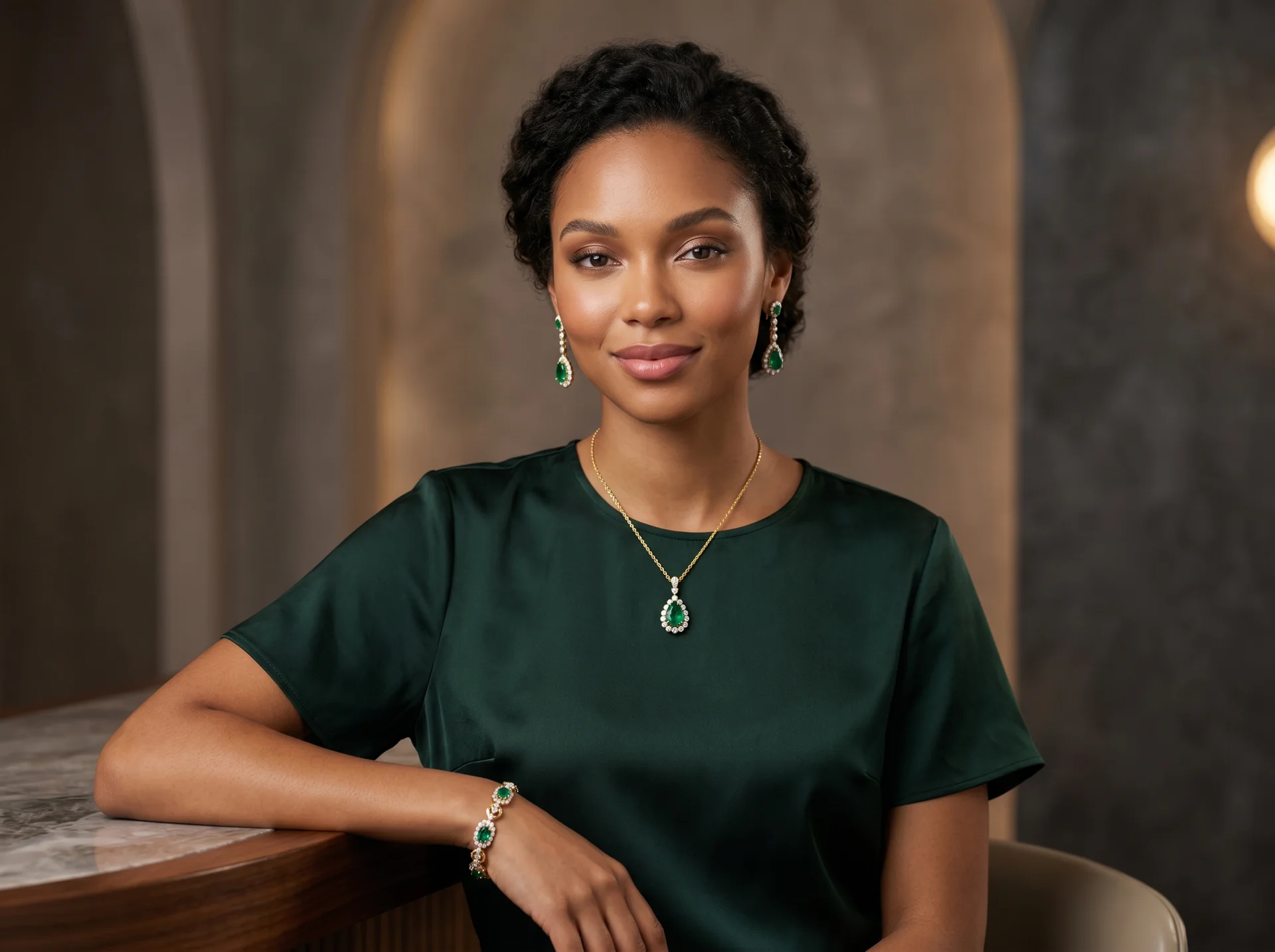
Bracelets are bought on fit and movement, so the wrist is the shot. Generate on-wrist images at a natural arm angle so shoppers can judge how the piece sits, moves, and stacks with other pieces. A full-set image — bracelet with matching necklace and earrings — also works well for bundle promotion.
Can AI put your jewelry on a model?
Yes — and this is where AI saves the most production cost. On-model jewelry shots traditionally need a booked model, a stylist, and reshoots whenever the collection changes. AI try-on workflows replace that: upload a model or customer photo, describe the piece to place, review the result, and download it for product pages, campaign assets, or buyer review. DeepKolor's virtual jewelry try-on handles rings, necklaces, earrings, and bracelets this way, and shoppers can use the same flow to preview pieces on their own photos before buying.
What image requirements do jewelry listings need to follow?
Marketplaces are strict about primary images. Google Shopping explicitly recommends a solid white or transparent background for the main product image, with no overlays, watermarks, or promotional text Google Merchant Center Help. Keep the product filling most of the frame, and check the current minimum resolution in Google's documentation before uploading — requirements get revised periodically.
AI-generated lifestyle and on-model shots belong in your additional image slots, where they lift click-through without breaking marketplace rules. For Amazon specifically — main-image restrictions, resolution minimums, and the common rejection reasons — see our Amazon product image requirements checklist.
What are the limitations of AI jewelry photography?
Honest limits, so you don't learn them from a return:
- Product fidelity drift. Image models can subtly change stone counts, prong shapes, chain links, or engraving text. Industry guidance is unambiguous on this: verify the piece in every AI image against the real product before publishing American Gem Society.
- High-value, one-of-one pieces. For certified diamonds and bespoke work where buyers scrutinize every facet, studio macro photography with focus stacking still produces the definitive record. Use AI for context and marketing shots, not for the certification record.
- Overselling risk. An on-model shot is a visualization. If the AI-rendered sparkle or scale meaningfully exceeds reality, expect returns — the same standard you'd apply to any product photo.
Summary
AI jewelry product photography turns one clean source photo into a full image set: white-background packshots for marketplaces, lifestyle scenes for your store, on-model and on-hand shots for the category pages where scale and fit decide the sale. Start with a sharp source photo, describe the shot, verify every piece for accuracy, and export to platform specs. Use the studio for what genuinely needs it — everything else is a prompt away.
Sources
Frequently asked questions
What background works best for jewelry product photos?
For marketplace primary images, solid white — it is what Google explicitly recommends for Shopping listings Google Merchant Center Help. For brand-site lifestyle shots and social content, plain dark or textured backgrounds can make diamonds and silver pop, as long as the setup stays uncluttered Orbitvu.
What kind of source photo does the AI need?
A sharp, evenly lit photo of the piece on a plain background, taken with a steady camera — pro tutorials recommend fixed camera positions and plain backdrops for consistency Visual Education. A smartphone with window light is enough; AI handles the rest of the production.
Is AI jewelry photography cheaper than a studio shoot?
Directionally, yes — no studio rental, no models, no reshoots when the collection changes. For a full cost breakdown between AI product photography and traditional studio shoots, see our AI vs studio cost comparison.
Can AI change gold jewelry to silver in a photo?
Prompt-driven recoloring is a standard image edit, useful for previewing colorways without reshooting each SKU. Treat it as a visualization step: the photos you publish for each variant should match the product that actually ships, with the piece verified for accuracy American Gem Society.
How accurate are AI jewelry images?
Accurate enough for context and marketing shots when they are generated from a real source photo — but always zoom in and compare stones, prongs, and engravings against the real piece before an image goes live American Gem Society. If an image doesn't match, regenerate it or discard it.
Related posts
Amazon Product Image Requirements: A Seller's Checklist for 2026
A 2026 seller checklist for Amazon product image requirements — main-image rules, pixel sizes, additional slots, suppression fixes, and a pre-upload review.
How to Take Professional Product Photos Without a Studio
Learn how to take professional product photos without a studio using a smartphone, window light, and a $50 DIY setup—plus when AI tools scale what DIY cannot.
What Is an AI Design Agent? Definition and How It Works
An AI design agent takes a brief, creates the visual, and edits with you in chat. See how it differs from image generators and when to use one.